Litmos
  • Client Login
  • Client Support
Search
  • Products
        • Best-in-class training across the enterprise

        • Icon Image

          LMS

        • Icon Image

          Training content

        • Icon Image

          Services

        • Icon Image

          Litmos AI

  • Features
        • Icon Image

          AI Assistant

        • Icon Image

          AI/ML Video Assessments

        • Icon Image

          AI Playlists

        • Icon Image

          Content Authoring Tool

        • Icon Image

          External Training

        • Icon Image

          Instructor-Led Training (ILT/vILT)

        • Icon Image

          Integrations

        • Icon Image

          Gamified Learning

        • Icon Image

          Multilingual Learning

        • Icon Image

          Mobile Learning

        • Icon Image

          Reporting & Analytics

  • Solutions
        • Solutions by Use Case

        • Icon Image

          Compliance training

        • Icon Image

          Onboarding

        • Icon Image

          Customer Training

        • Icon Image

          Sales Training

        • Icon Image

          Employee Development

        • Icon Image

          View All Use Cases

        • Solutions by Industry

        • Icon Image

          Financial services

        • Icon Image

          Healthcare

        • Icon Image

          Manufacturing

        • Icon Image

          Technology

        • Icon Image

          Construction

        • Icon Image

          View All Industries

        • Litmos For

        • Icon Image

          Enterprise

        • Icon Image

          Mid-Market

        • Icon Image

          Small business

        • Icon Image

          View All

  • Customers
        • Customer experience

        • Icon Image

          Customer stories

        • Icon Image

          Reviews

        • Icon Image

          Lenny Awards

        • For our customers

        • Icon Image

          Customer hub

        • Icon Image

          Support

  • Pricing
  • Resources
        • Learning hub

        • Icon Image

          Blog

        • Icon Image

          Resource library

        • Icon Image

          Webinars & events

        • Essential guides

        • Icon Image

          LMS 101

        • Icon Image

          eLearning blueprint

        • Icon Image

          AI learning

  • About
        • We empower learning

        • Icon Image

          About Litmos

        • Icon Image

          Newsroom

        • Icon Image

          Careers

        • Icon Image

          Awards

        • Icon Image

          Find a partner

        • Icon Image

          Become a partner

Free trial

TRAINING COURSE CATALOG

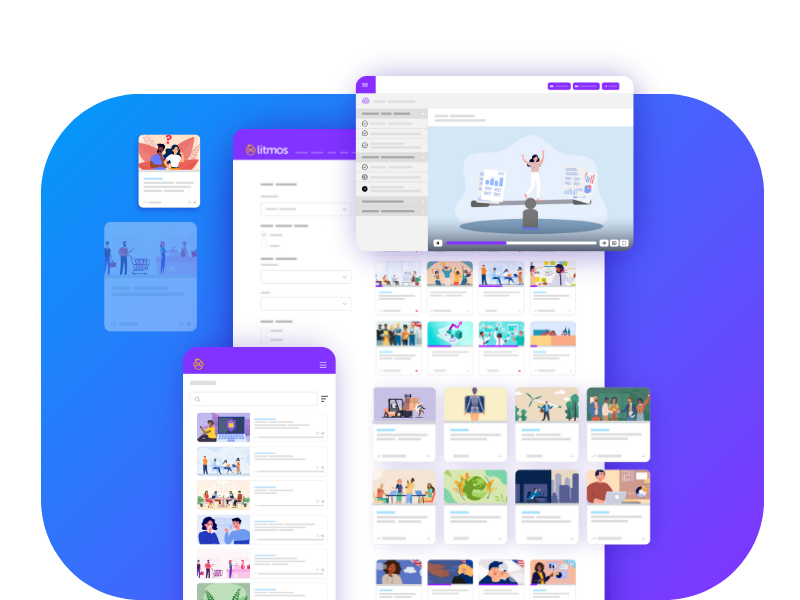
An ever-growing library of relevant training courses

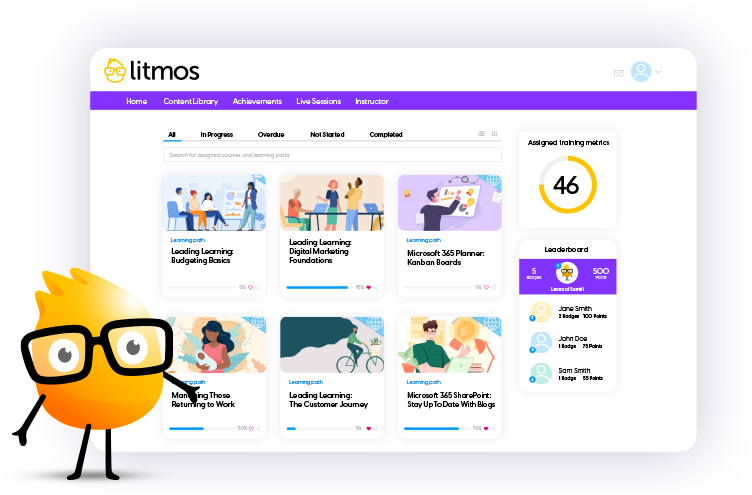
Award-winning training content collections for your employees, customers, and partners across the globe. Our collections include thousands of courses professionally created for a more productive workplace.

Re-skill, upskill, or fill worker skill gaps and minimize risk with compliance training. Support retention and career mobility and best of all, create a positive culture.
Talk to an expert

Filters

Sort

Products

Use Cases

Competencies

Languages

Regions

Duration

Microsoft TEAMS – On Mobile Devices

With the Teams mobile app, you can make calls, join video conferences, compose and reply to chat messages, or even work on files. Discover similarities with the desktop version, but also some differences and limitations.
Languages Icon English (US)
Duration Icon 4 Minutes

Microsoft TEAMS – Other Helpful Tabs

You can use the Teams app not only to display individual files as tabs, but also Microsoft 365 apps, such as Lists, Stream, or Power BI. You can even integrate external apps, such as Google Analytics, Facebook or Twitter, in this way.
Languages Icon English (US)
Duration Icon 7 Minutes

Microsoft TEAMS – Participate in Video Conferences

Now learn what technical requirements you need to meet in order to successfully participate in video conferences and also how to test your equipment in advance. Then learn how to participate in both ad-hoc and scheduled meetings.
Languages Icon English (US)
Duration Icon 13 Minutes

Microsoft TEAMS – Share Content in Video Conferences

Learn to share screen content. You can share individual application windows or your entire screen.
Languages Icon English (US)
Duration Icon 14 Minutes

Microsoft TEAMS – The Files Tab

When you work with files in the Teams application, they are usually stored via your SharePoint. This way, you can edit files across devices and automatically share them with other team members for editing.
Languages Icon English (US)
Duration Icon 11 Minutes

Microsoft TEAMS – The Files Window

The Files window in the ribbon allows you to access files in a particularly time-saving manner without first having to switch to the corresponding team and the correct channel. You will love it.
Languages Icon English (US)
Duration Icon 9 Minutes

Microsoft TEAMS – The Teams Window and the Posts Tab

Discover the Teams window as your main control center. Furthermore, learn to have structured conversations in the Posts tab within channels. Finally, discover handy bookmarks and ways to format your messages.
Languages Icon English (US)
Duration Icon 14 Minutes

Microsoft TEAMS – The Wiki Tab

Use wikis to present content in a particularly clear way. In a wiki, you can create multiple pages. Pages, in turn, contain multiple sections. You can learn more about the details in this video.
Languages Icon English (US)
Duration Icon 4 Minutes

Managing Up: Virtual and Hybrid Workplaces

Welcome to the "Managing Up: Virtual or Hybrid Environments" video lesson created to help you maintain a strong relationship with your boss while working from afar.
Languages Icon English (US)
Duration Icon 5 Minutes

Microsoft TEAMS – Activities – How to Keep Track

Thanks to the Activity button in the Teams ribbon, you can always stay up to date. @mentions, reactions, replies and also your own activities are clearly listed for you here. Never miss a notification again.
Languages Icon English (US)
Duration Icon 4 Minutes

Microsoft TEAMS – Build Teams and Channels Wisely

Learn to arrange Teams and Channels so that you can work optimally. You can arrange Channels, pin them, and even hide them if necessary - extremely helpful features in your everyday work!.
Languages Icon English (US)
Duration Icon 5 Minutes

Microsoft TEAMS – Communicate via Chat

While Team and Channel discussions are visible to all team members, conversations with small groups or an individual are conducted in a chat.
Languages Icon English (US)
Duration Icon 11 Minutes

Microsoft TEAMS – Create and Manage Teams

In this video you will learn to create a Teams environment on your own. And even if you do not have the appropriate rights to do so, you can take a look behind the scenes in this video.
Languages Icon English (US)
Duration Icon 10 Minutes

Microsoft TEAMS – Discover the Various Call Options

Discover the different ways to make calls with the Teams app. Learn how to convert calls to video calls and how to share your screen.
Languages Icon English (US)
Duration Icon 11 Minutes

Microsoft TEAMS – Final Remarks

Congratulations! You have successfully completed the Microsoft Teams training. Finally, we will briefly summarize and classify the topics you have learned. Good luck in applying your newly acquired knowledge!.
Languages Icon English (US)
Duration Icon 2 Minutes

Microsoft TEAMS – Get to Know the User Interface

Now familiarize yourself with the user interface to get an overview of the most important functions and buttons. Get to know the central ribbon and discover the intelligent status display, practical notification functions and much more.
Languages Icon English (US)
Duration Icon 11 Minutes

Microsoft TEAMS – How to Launch and Setup Microsoft Teams

Learn how to properly install the Teams application. Don't worry, it'll be done quickly. In addition to the desktop app, which gives you the best performance and the most features, you also have a web app and a mobile app as well.
Languages Icon English (US)
Duration Icon 4 Minutes

Microsoft TEAMS – Introduction to Your Central Place in Microsoft 365

Welcome to the training! First, get an overview of what is covered in this course.
Languages Icon English (US)
Duration Icon 3 Minutes

Managing Up: The Energizer Boss

Welcome to "Managing Up: The Energizer Boss," a video lesson meant to help you manage up with a fast-paced, high-energy boss.
Languages Icon English (US)
Duration Icon 5 Minutes

Managing Up: The Evaluator Boss

Welcome to "Managing Up: The Evaluator Boss," a video lesson meant to help you manage up with a boss who is driven by producing high-quality, accurate work at all costs.
Languages Icon English (US)
Duration Icon 5 Minutes

Managing Up: The Harmonizer Boss

Welcome to the "Managing Up: The Harmonizer Boss" video lesson that offers tips for managing up with a boss who prioritizes creating a happy, cohesive team.
Languages Icon English (US)
Duration Icon 5 Minutes

Managing Up: Working Well with the Boss You Have

Welcome to "Managing Up: Working Well with the Boss You Have," a video lesson meant to help you learn who your boss is and how they operate.
Languages Icon English (US)
Duration Icon 6 Minutes

Managing Up: Introverts vs. Extroverts

Welcome to the "Managing Up: Introverts vs. Extroverts" video lesson created to help you work with your boss's energy rather than against it.
Languages Icon English (US)
Duration Icon 9 Minutes

Managing Up: The Ghost Boss

Welcome to "Managing Up: The Ghost Boss," a video lesson designed to manage up with a hands-off, absentee boss.
Languages Icon English (US)
Duration Icon 5 Minutes
  • 1
  • …
  • 507
  • 508
  • 509
  • …
  • 670

Start Your Free Trial Today

Start your 14-day free trial with absolutely zero risk or obligation to purchase. Test drive our Premier LMS and see for yourself how our learning solution can improve your learning program outcomes! We have flexible purchase options, including an option to buy directly through the trial!

Free Trial
Litmos Free Trial

Request more information

To learn how Litmos can meet your needs, fill out the form below.

Content Request Courses

"*" indicates required fields

Consent*
Litmos US, L.P. will use any of the data provided hereunder in accordance with the Privacy Policy.
This field is hidden when viewing the form
This field is for validation purposes and should be left unchanged.
Litmos
Contact sales
Solutions by Use Case
  • Company
  • Newsroom
  • Awards
  • Customers
  • Careers
  • Customer portal
  • Partner portal
Products
  • Products
  • LMS
  • Courses
  • Services
  • Enterprise
  • Mid-Market
  • Small business
Features
  • Features
  • AI solutions
  • Content authoring tool
  • External training
  • Gamification
  • Multilingual learning
Solutions
  • Solutions
  • Employee development
  • Customer training
  • Sales enablement
  • Compliance training
  • Onboarding training
Resources
  • Resources
  • Blog
  • LMS 101
  • eLearning
  • AI learning
  • Webinars
© 2026 Litmos US, L.P. and affiliates. All rights reserved.
  • Privacy Statement
  • Terms & Conditions
  • AI Principles
  • Website Terms
  • Modern Slavery Statement
  • Accessibility Statement
x-logo x-logo Linkedin-logo Facebook Instagram
Register for early access to Litmos Features

Release Notes feedback

"*" indicates required fields

Please provide your email and indicate which domain(s) you'd like the new features enabled.