Litmos
  • Client Login
  • Client Support
Search
  • Products
        • Best-in-class training across the enterprise

        • Icon Image

          LMS

        • Icon Image

          Training content

        • Icon Image

          Services

        • Icon Image

          Litmos AI

  • Features
        • Icon Image

          AI Assistant

        • Icon Image

          AI/ML Video Assessments

        • Icon Image

          AI Playlists

        • Icon Image

          Content Authoring Tool

        • Icon Image

          External Training

        • Icon Image

          Instructor-Led Training (ILT/vILT)

        • Icon Image

          Integrations

        • Icon Image

          Gamified Learning

        • Icon Image

          Multilingual Learning

        • Icon Image

          Mobile Learning

        • Icon Image

          Reporting & Analytics

  • Solutions
        • Solutions by Use Case

        • Icon Image

          Compliance training

        • Icon Image

          Onboarding

        • Icon Image

          Customer Training

        • Icon Image

          Sales Training

        • Icon Image

          Employee Development

        • Icon Image

          View All Use Cases

        • Solutions by Industry

        • Icon Image

          Financial services

        • Icon Image

          Healthcare

        • Icon Image

          Manufacturing

        • Icon Image

          Technology

        • Icon Image

          Construction

        • Icon Image

          View All Industries

        • Litmos For

        • Icon Image

          Enterprise

        • Icon Image

          Mid-Market

        • Icon Image

          Small business

        • Icon Image

          View All

  • Customers
        • Customer experience

        • Icon Image

          Customer stories

        • Icon Image

          Reviews

        • Icon Image

          Lenny Awards

        • For our customers

        • Icon Image

          Customer hub

        • Icon Image

          Support

  • Pricing
  • Resources
        • Learning hub

        • Icon Image

          Blog

        • Icon Image

          Resource library

        • Icon Image

          Webinars & events

        • Essential guides

        • Icon Image

          LMS 101

        • Icon Image

          eLearning blueprint

        • Icon Image

          AI learning

  • About
        • We empower learning

        • Icon Image

          About Litmos

        • Icon Image

          Newsroom

        • Icon Image

          Careers

        • Icon Image

          Awards

        • Icon Image

          Find a partner

        • Icon Image

          Become a partner

Free trial

TRAINING COURSE CATALOG

An ever-growing library of relevant training courses

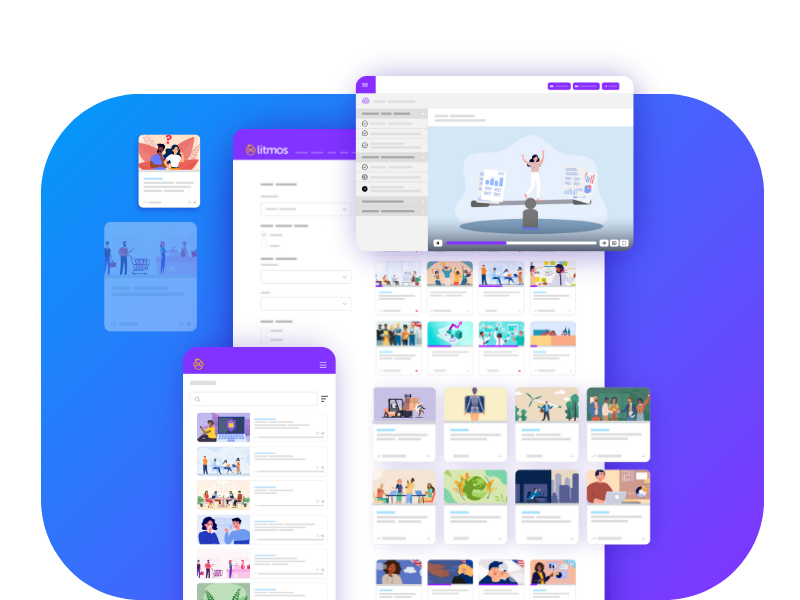
Award-winning training content collections for your employees, customers, and partners across the globe. Our collections include thousands of courses professionally created for a more productive workplace.

Re-skill, upskill, or fill worker skill gaps and minimize risk with compliance training. Support retention and career mobility and best of all, create a positive culture.
Talk to an expert

Filters

Sort

Products

Use Cases

Competencies

Languages

Regions

Duration

A Harassment-Free Workplace (Manufacturing): Recognizing Red Flags

Welcome to the "Recognizing Red Flags" lesson, is the 14th lesson in the "A Harassment-Free Workplace for Manufacturing Supervisors" course designed to educate manufacturing supervisors on how to foster a respectful and inclusive work environment.
Languages Icon English (US)
Duration Icon 4 Minutes

Professional Writing Skills: Creating Great First Drafts

Welcome to the Creating Great First Drafts" lesson, the ninth of 15 in the Professional Writing Skills course, which is meant to help learners transform their business writing into professional, accurate, and meaningful correspondence.
Languages Icon English (US)
Duration Icon 4 Minutes

Professional Writing Skills: How to (Actually) Get Started

Welcome to the How to (Actually) Get Started" lesson, the eighth of 15 in the Professional Writing Skills course, which is meant to help learners transform their business writing into professional, accurate, and meaningful correspondence.
Languages Icon English (US)
Duration Icon 4 Minutes

Professional Writing Skills: Parts of Speech – Part 2

Welcome to the "Parts of Speech - Part 2" lesson, the third of 15 in the Professional Writing Skills course, which is meant to help learners transform their business writing into professional, accurate, and meaningful correspondence.
Languages Icon English (US)
Duration Icon 4 Minutes

Professional Writing Skills: Writing for Readability

Welcome to the "Writing for Readability" lesson, the first of 15 in the Professional Writing Skills course, which is meant to help learners transform their business writing into professional, accurate, and meaningful correspondence.
Languages Icon English (US)
Duration Icon 4 Minutes

Heat Illness Prevention for California Workplaces: Heat and the Body’s Cooling System

MARCOM's Micro-Learning program on Heat Illness Prevention for California Workplaces: Heat and the Body's Cooling System provides employees with specific facts about this topic.
Languages Icon English (US)
Duration Icon 4 Minutes

Mastering Excel 365 – Advanced: Customizing the QAT

Customize your Excel experience by personalizing the Quick Access Toolbar! Learn how to add, remove, and organize your most-used commands for a faster, more efficient workflow tailored to your needs.
Languages Icon English (US)
Duration Icon 4 Minutes

Mastering Excel 365 – Advanced: Digital Signatures

Ensure the authenticity and integrity of your Excel workbooks with digital signatures! Learn how to add an encrypted electronic stamp that verifies the document's creator and prevents unauthorized changes.
Languages Icon English (US)
Duration Icon 4 Minutes

Mastering Excel 365 – Advanced: Templates

Discover how to streamline your workflow with Excel templates! Learn to access, customize, and save templates for invoices, budgets, and more-so you can quickly create professional spreadsheets without starting from scratch.
Languages Icon English (US)
Duration Icon 4 Minutes

Microsoft Planner: Organizing with Buckets

Organize your projects effortlessly with Microsoft Planner's Buckets! Learn how to categorize tasks, rearrange priorities, and streamline collaboration with simple drag-and-drop functionality.
Languages Icon English (US)
Duration Icon 4 Minutes

Sexual Harassment Prevention for Supervisors: Who Can Be the Cause (or Victim) of Sexual Harassment

This video dispels the myth that only certain types of workers are capable of causing harassment in the workplace, or being on the receiving end of it.
Languages Icon English (US)
Duration Icon 4 Minutes

Work to a Different Beat:Live Passionately, Give Passionately

Welcome to the "Live Passionately, Give Passionately" lesson, the 10th of 12 in the "Expert Insights: Work to a Different Beat with Justin Jones-Fosu" course, which is designed to help viewers improve their approach to their work.
Languages Icon English (US)
Duration Icon 4 Minutes

Work to a Different Beat:You Can Get on Beat

Welcome to the "You Can Get on Beat" lesson, the fourth of 12 in the "Expert Insights: Work to a Different Beat with Justin Jones-Fosu" course, which is designed to help viewers improve their approach to their work and find meaning in what they do.
Languages Icon English (US)
Duration Icon 4 Minutes

Mastering Access – Basics: Preparing a Report for Print

This video demonstrates how to troubleshoot and fix layout issues in Microsoft Access reports to ensure professional presentation.
Languages Icon English (US)
Duration Icon 4 Minutes

Mastering Access – Intermediate: Summarizing Data

Learn how to use Crosstab Queries in Access to summarize and visualize your data with row and column headings, similar to PivotTables in Excel. This method helps analyze patterns for enhanced reporting and decision-making.
Languages Icon English (US)
Duration Icon 4 Minutes

Mastering Access – Intermediate: Working with Subdata Sheets

Explore how to set up and utilize Subdatasheets in Microsoft Access to view and edit related data directly within a table. Learn to streamline your workflow by linking tables, enabling efficient data management and on-the-spot updates.
Languages Icon English (US)
Duration Icon 4 Minutes

HIPAA Basics: Compliance Audit Program

Welcome to the "Compliance Audit Program" lesson, which explains the process of audits conducted by the Office for Civil Rights (OCR) to ensure HIPAA compliance.
Languages Icon English (US)
Duration Icon 4 Minutes

HIPAA Basics: Introduction

Welcome to the "Introduction" lesson, which establishes what makes up protected health information (PHI) and which organizations must comply with HIPAA.
Languages Icon English (US)
Duration Icon 4 Minutes

HIPAA Basics: The Privacy Rule’s Minimum Necessary Standard

Welcome to the "The Privacy Rule's Minimum Necessary Standard" lesson, which describes how the minimum necessary standard of the Privacy Rule is essential to protecting PHI from unauthorized access.
Languages Icon English (US)
Duration Icon 4 Minutes

HIPAA Basics: The Privacy Rule’s Notice of Privacy Practices

Welcome to the "The Privacy Rule's Notice of Privacy Practices" lesson, which describes the Privacy Rule requirement that covered entities create and distribute a notice of privacy practices (NPP).
Languages Icon English (US)
Duration Icon 4 Minutes

Mastering Word 365 – Advanced: Outline and Master Document Views

This lesson shows you how to view a document in Outline View, use Outline Mode to manage document text, and use Master View to manage multiple documents.
Languages Icon English (US)
Duration Icon 4 Minutes

Mastering Word 365 – Advanced: Sharing

This lesson shows you how to share documents with colleagues, modify permissions, view coauthors, and change sharing options.
Languages Icon English (US)
Duration Icon 4 Minutes

Mastering Word 365 – Advanced: Translation

This lesson shows you how to use mini translator for words or documents and modify language settings.
Languages Icon English (US)
Duration Icon 4 Minutes

Mastering Word 365 – Intermediate: Managing Multiple Documents

This lesson shows you how to view two documents side by side, arrange and view multiple windows, and save a PDF.
Languages Icon English (US)
Duration Icon 4 Minutes
  • 1
  • …
  • 75
  • 76
  • 77
  • …
  • 738

Start Your Free Trial Today

Start your 14-day free trial with absolutely zero risk or obligation to purchase. Test drive our Premier LMS and see for yourself how our learning solution can improve your learning program outcomes! We have flexible purchase options, including an option to buy directly through the trial!

Free Trial
Litmos Free Trial

Request more information

To learn how Litmos can meet your needs, fill out the form below.

Content Request Courses

"*" indicates required fields

Consent*
Litmos US, L.P. will use any of the data provided hereunder in accordance with the Privacy Policy.
This field is hidden when viewing the form
This field is for validation purposes and should be left unchanged.
Litmos
Contact sales
Solutions by Use Case
  • Company
  • Newsroom
  • Awards
  • Customers
  • Careers
  • Customer portal
  • Partner portal
Products
  • Products
  • LMS
  • Courses
  • Services
  • Enterprise
  • Mid-Market
  • Small business
Features
  • Features
  • AI solutions
  • Content authoring tool
  • External training
  • Gamification
  • Multilingual learning
Solutions
  • Solutions
  • Employee development
  • Customer training
  • Sales enablement
  • Compliance training
  • Onboarding training
Resources
  • Resources
  • Blog
  • LMS 101
  • eLearning
  • AI learning
  • Webinars
© 2026 Litmos US, L.P. and affiliates. All rights reserved.
  • Privacy Statement
  • Terms & Conditions
  • AI Principles
  • Website Terms
  • Modern Slavery Statement
  • Accessibility Statement
x-logo x-logo Linkedin-logo Facebook Instagram
Register for early access to Litmos Features

Release Notes feedback

"*" indicates required fields

Please provide your email and indicate which domain(s) you'd like the new features enabled.